Portfolio
Labregister
Redesigning a Laboratory Inventory Management System (LIMS) for different types of labs
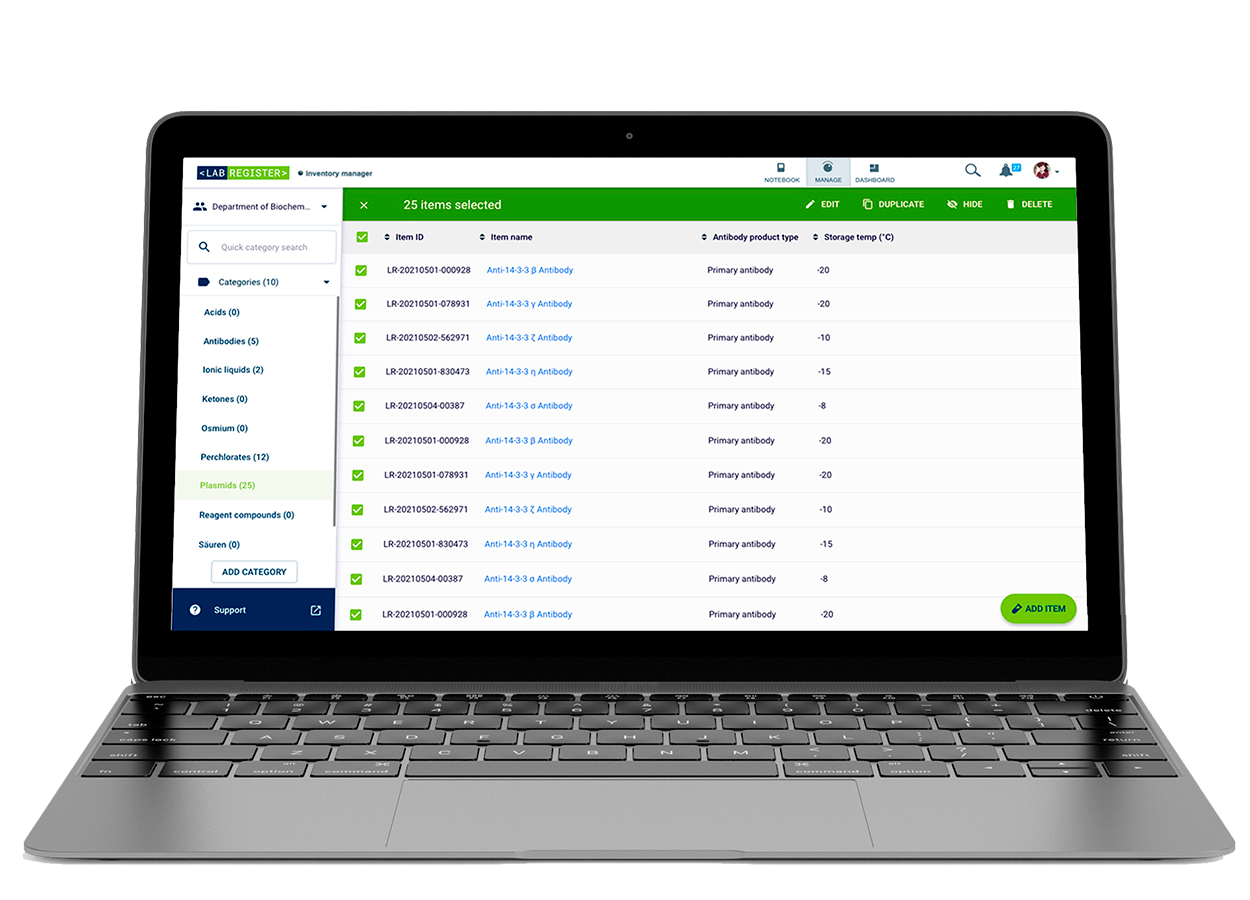
Labregister is a Lab Inventory Management System (LIMS) developed to help scientists keep track of the available devices, reagents, samples, chemicals, etc. in the lab in real time, as well as to visualize DNA sequences, purchase dates, expiry dates, and other relevant metadata, along with the possibility to register them into the system via barcode scanners.
Among other functionalities, an advanced search powered by logical operators could be found, as well as the registration of parent and children components that were made in the lab as part of self-production.
| Company | Labforward GmbH |
|---|---|
| Roles | Senior Product Designer |
| Scope | UX, UI, design system, information architecture |
| Tools | UXPin, Illustrator |
| Years | 2020-2022 |
| Brief | Redesign the inventory application which would become a product of its own to allow scientists to find every item stored in their and other labs by precise location, as well as to develop a management system to update the lab stock in real time. |
Labregister was originally designed in 2016 to be an extension of Labfolder, the company's self-produced ELN. Back then it was called Material Database (MDB). The design journey started when, by business decision, MDB should become its own product, a proper LIMS, with the target name of Labregister.
This is how MDB looked like in 2016. At this point, there wasn't an existing design system in place for potential extensions of Labfolder. Only the color theme existed.
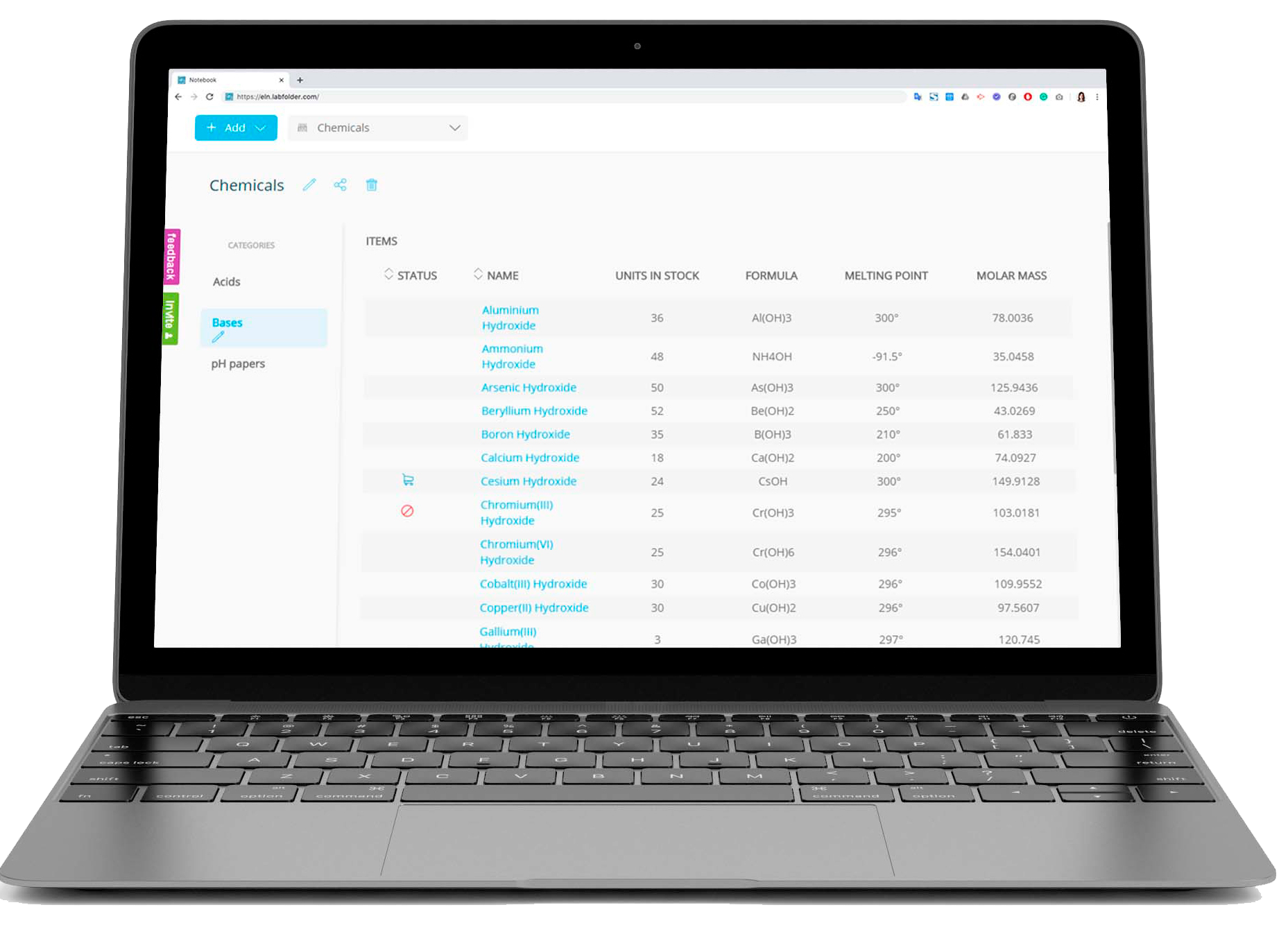
• On the UX Design side, much work was to be done by interviewing different stakeholders: among the personas considered, we had different types of scientists, like molecular biologists, neurobiologists, analytical chemists, to name a few, and of course, the upper management.
• On the UI Design and Frontend side, the frontend was to be built in Aurelia, an open-source framework. A frontend library needed to be implemented, so we decided to create a self-hosted instance in the development server to have clear which components were created and that everyone in the team could reuse them.
• Data registry without scalability: MDB was thought as an integration to the ELN, and while referencing inventory items within the ELN was possible, the data within MDB didn't correlate other than by having categories and items belonging to them. Automatization implied that items could be updated without manual input, and that they could be automatically updated when referencing them in the ELN entries since these could count as "used material".
• Bulk actions were missing: The databases manipulation at a bulk level was missing. The need was to almost reach an Excel level. Actions like archiving, deleting, and exporting were simply not there.
Design sprints were run for every missing feature detected. With a little twist in the methodology and making it recurrent twice per quarter, I had a week to review a set features with different stakeholders.
• The first stakeholder group were the scientists, who have biology, neurology, and chemistry backgrounds, among others. Within these initial sprints, I wireframed together with stakeholders so I could have a solid idea of everyone's needs. The wireframing exercises were done on paper and then taken to Miro for group analysis.
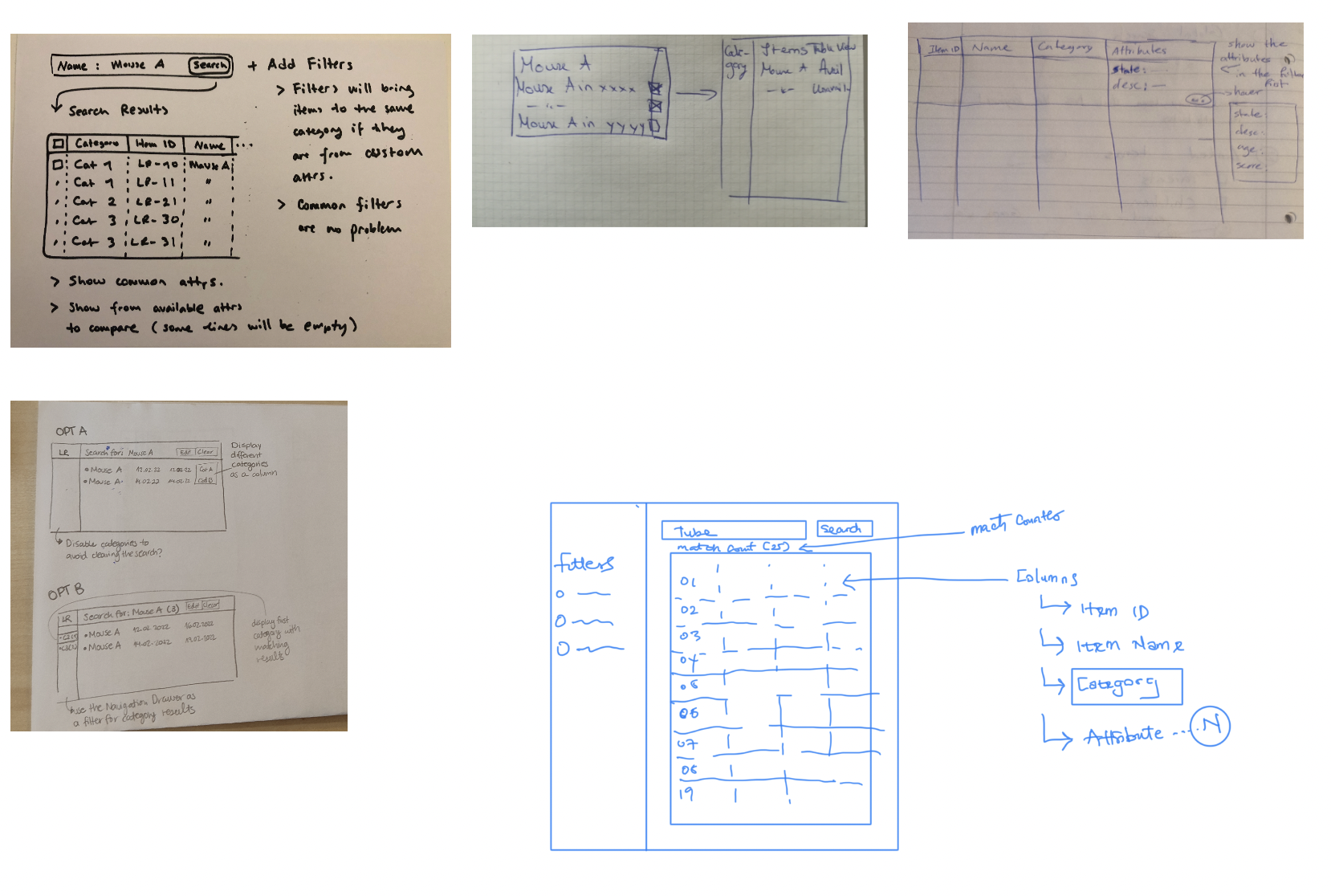
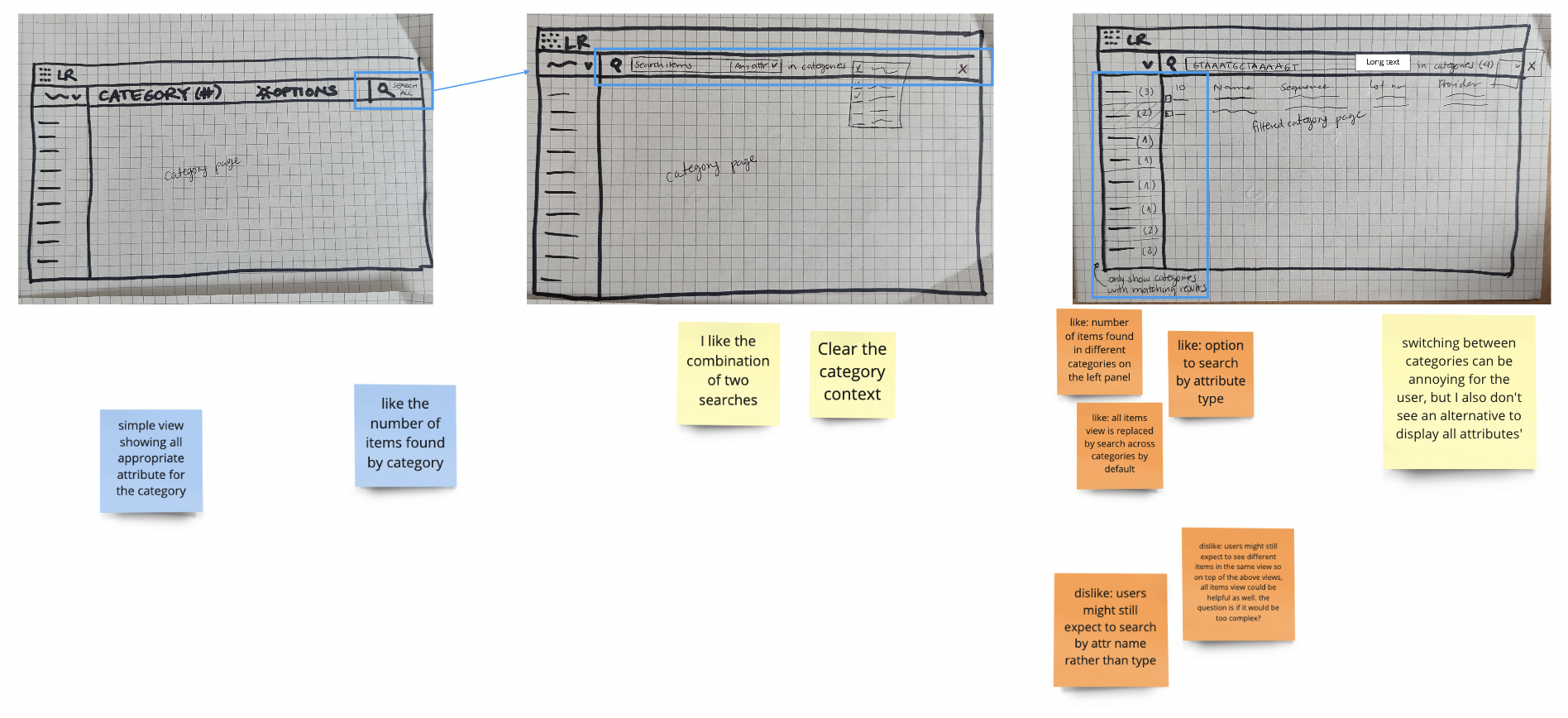
After compiling and understanding all the information gathered from the first stakeholder group, the next stakeholder group came into play.
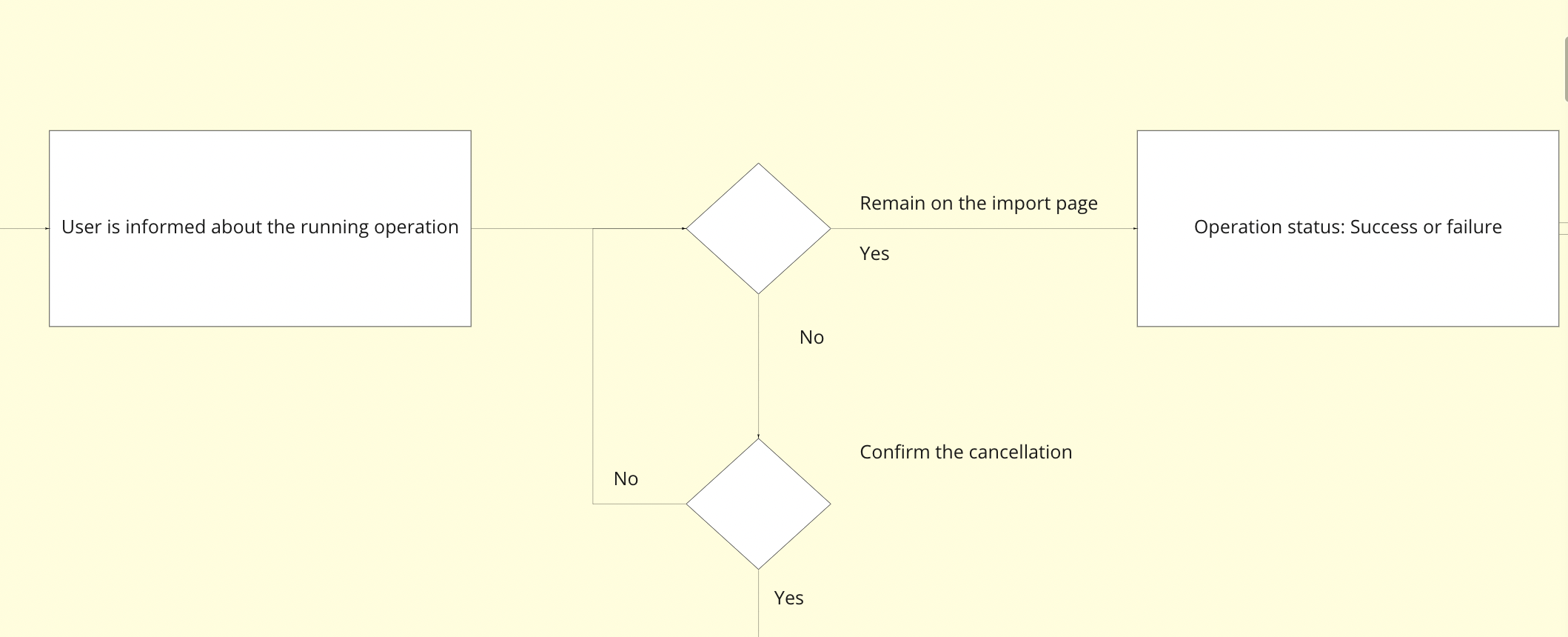
• The second stakeholder group were the software engineers. I did quick user flow and decision-making diagrams to inform and assess feasibility with engineers. Here you can see a snippet of such diagrams:
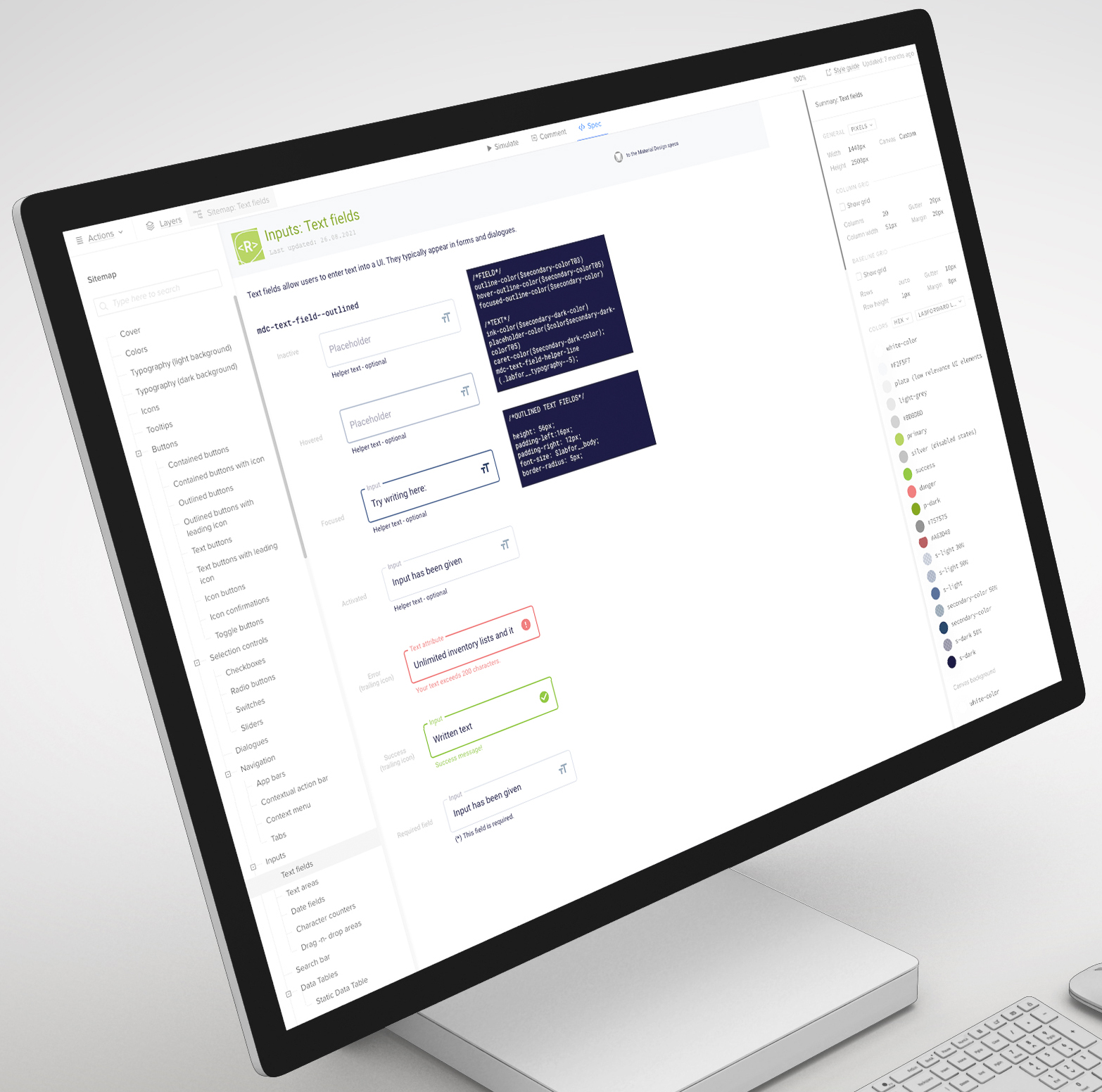
On the third week of the Design Sprint cycle, I began working on Labregister's design system.
Because the company merged with another, new brand guidelines were created to fit the new identity. I considered these for the final new components, using the new color palette, as well as the font library, the resposive breakpoints we wanted to support and the microinteractions, while following best practices from Google's Material Design and meeting WCAG standards.
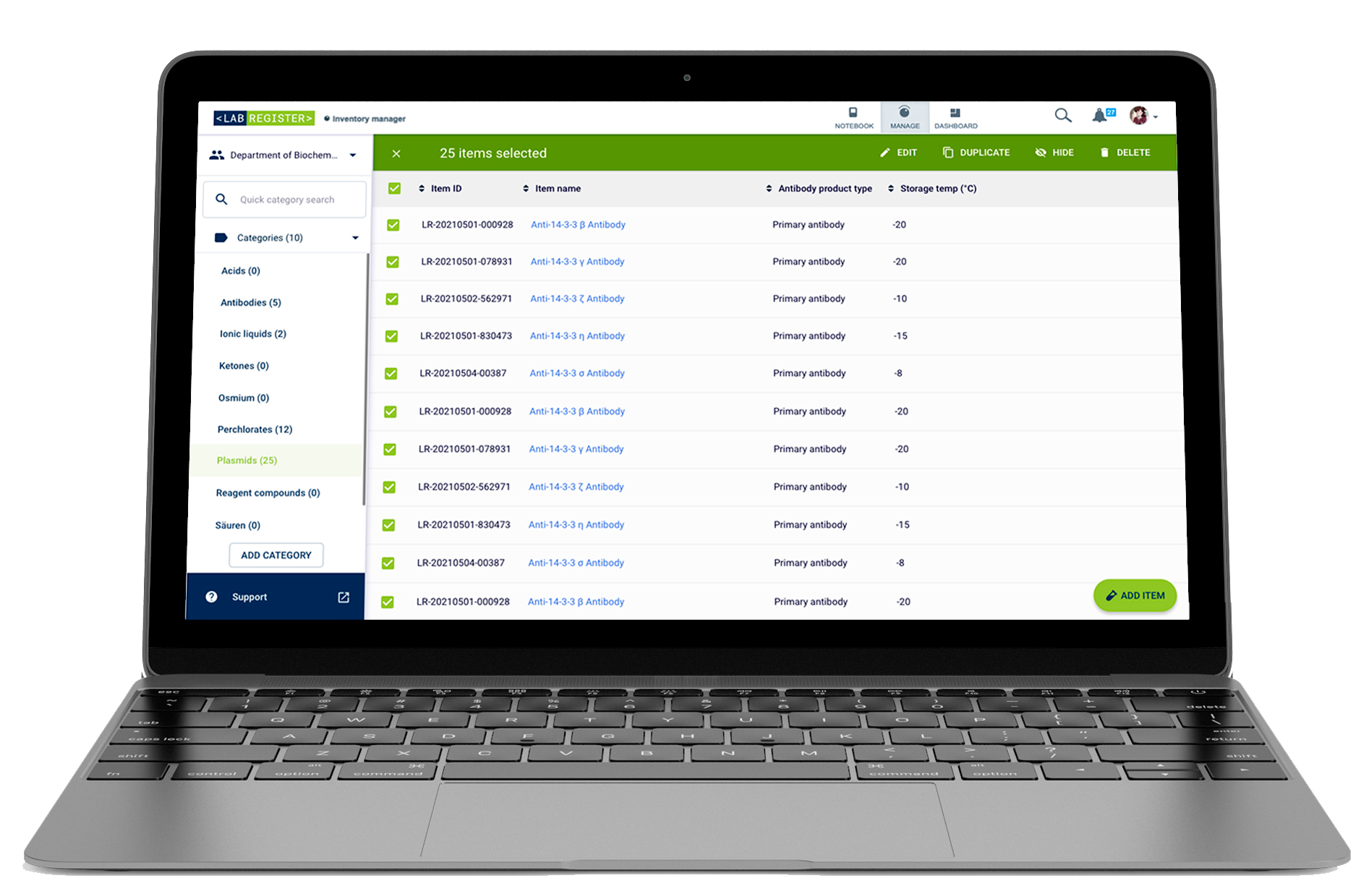
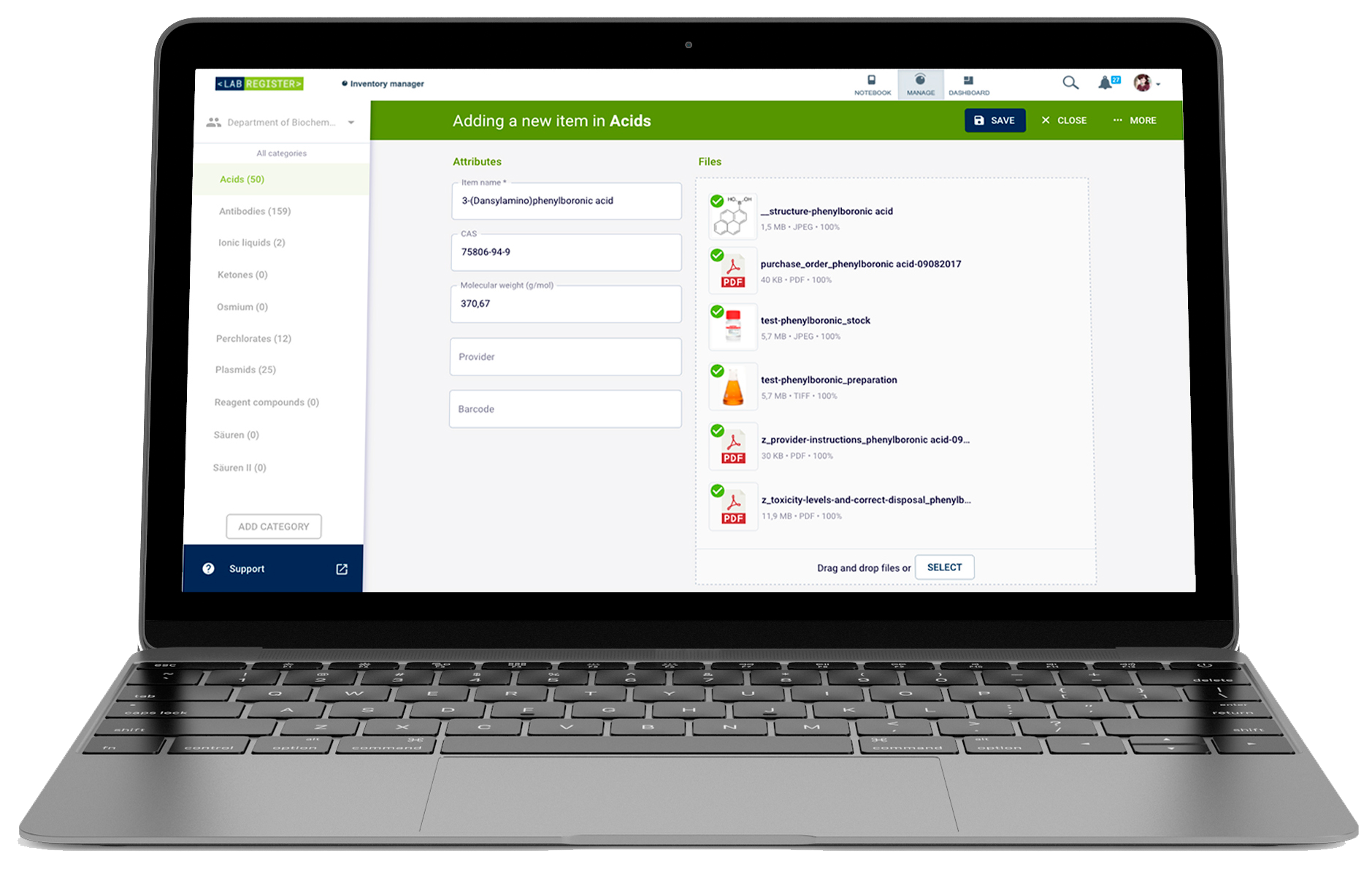
At this stage, Labregister would become part of a product family. Since the Labfolder (the ELN) already featured a sidebar navigation, Labregister needed to present one with the same metadata points.
An app bar was offered following the same line.
A table-based UI to enable bulk operations, such as editing, duplicating and archiving was also provided. The item details could be seen and edited individually by clicking the name or the ID.
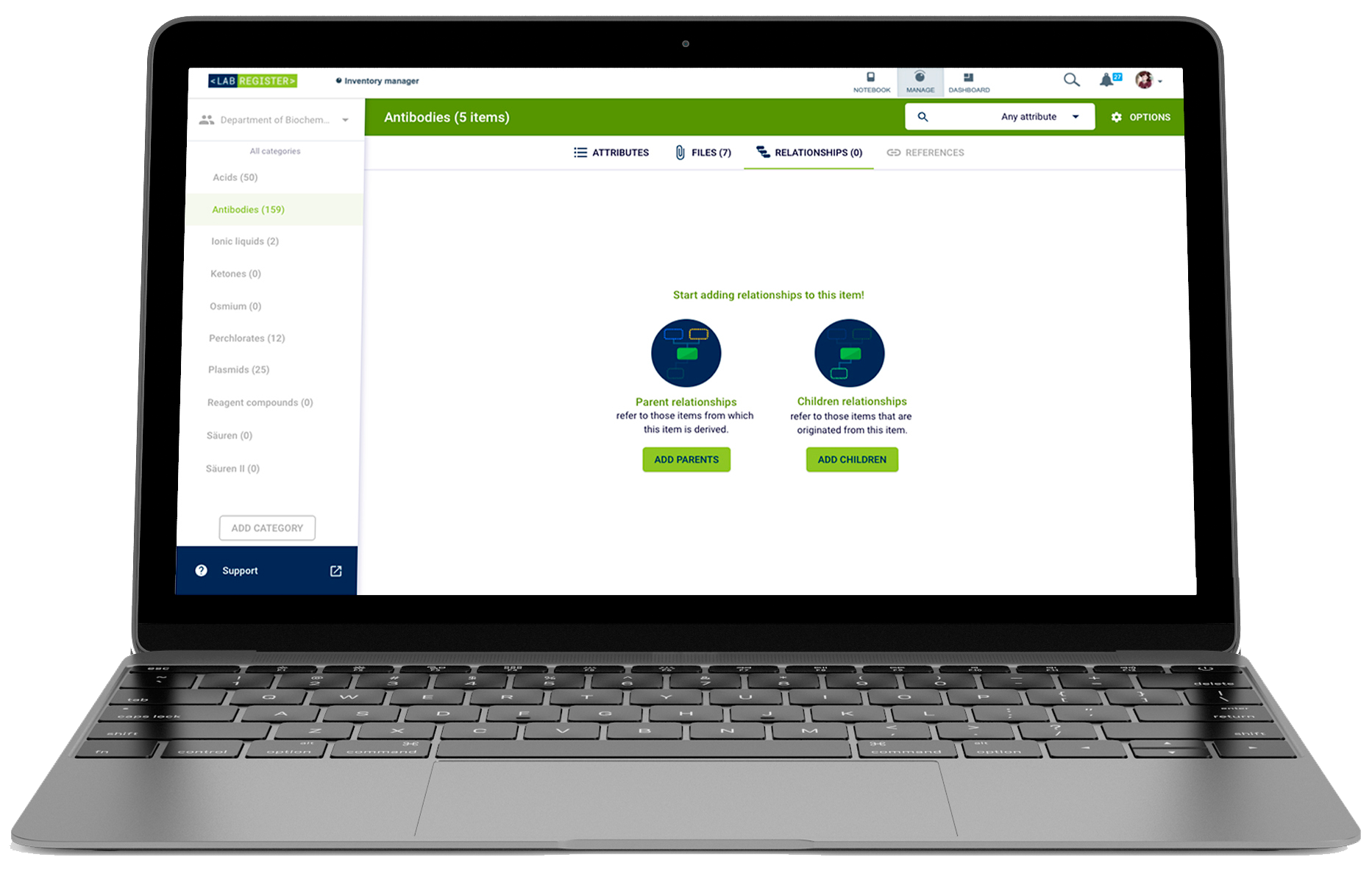
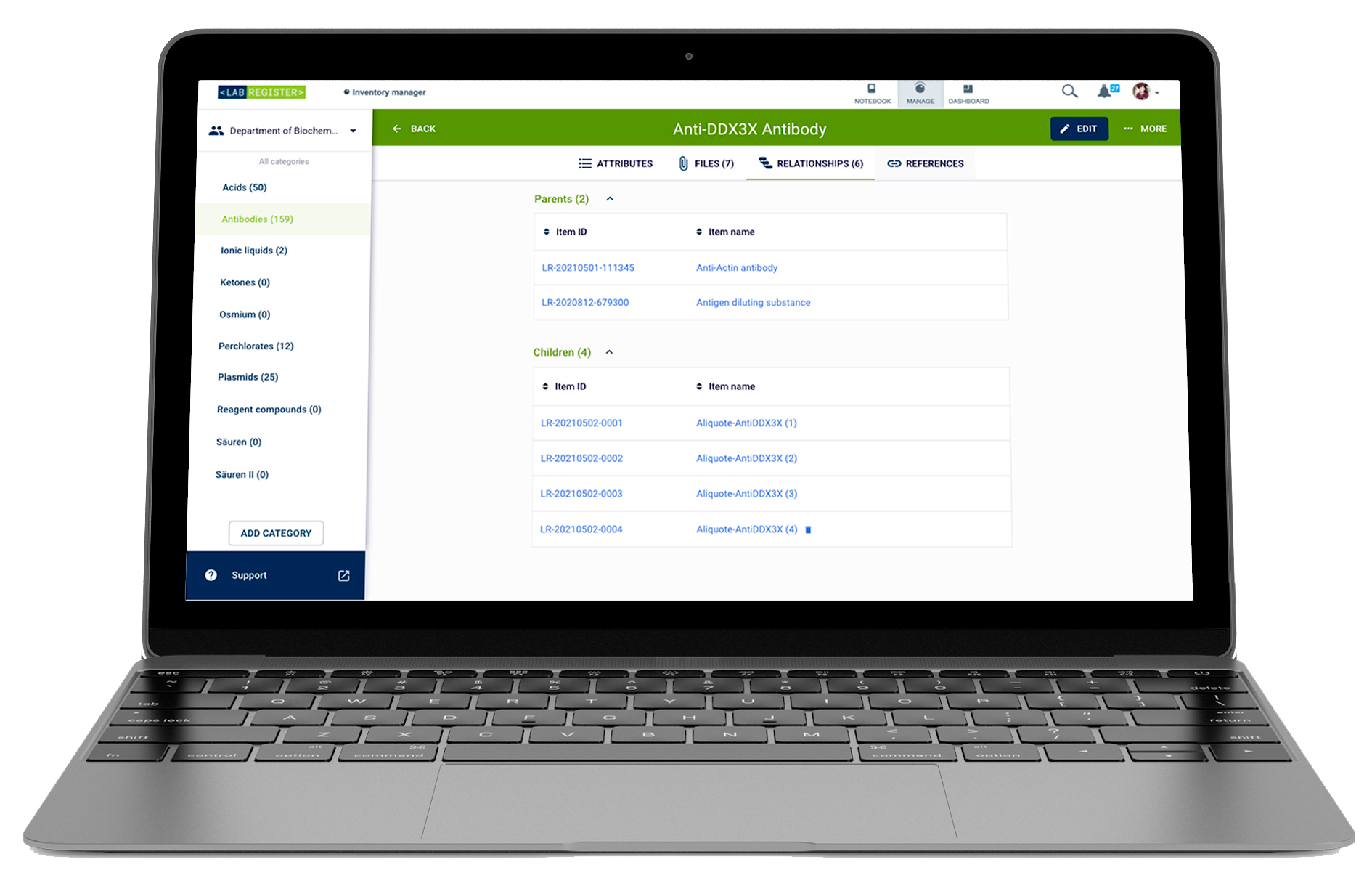
The fourth week of the Design Sprint cycle was dedicated to test with end users. After the prototypes were done, I scheduled in-person interviews and videocalls depending on their availability. Together with the Product Manager, we came up with the interview questions to have a unified way to evaluate usability and functionality findability. Our testers were mostly from BIH and Charité (special thanks to the Molecular Biology department!) We ran around 30 interviews on that week. And the validation gave us good results - only minor changes needed to be done on the buttons (users prefered them with labels).
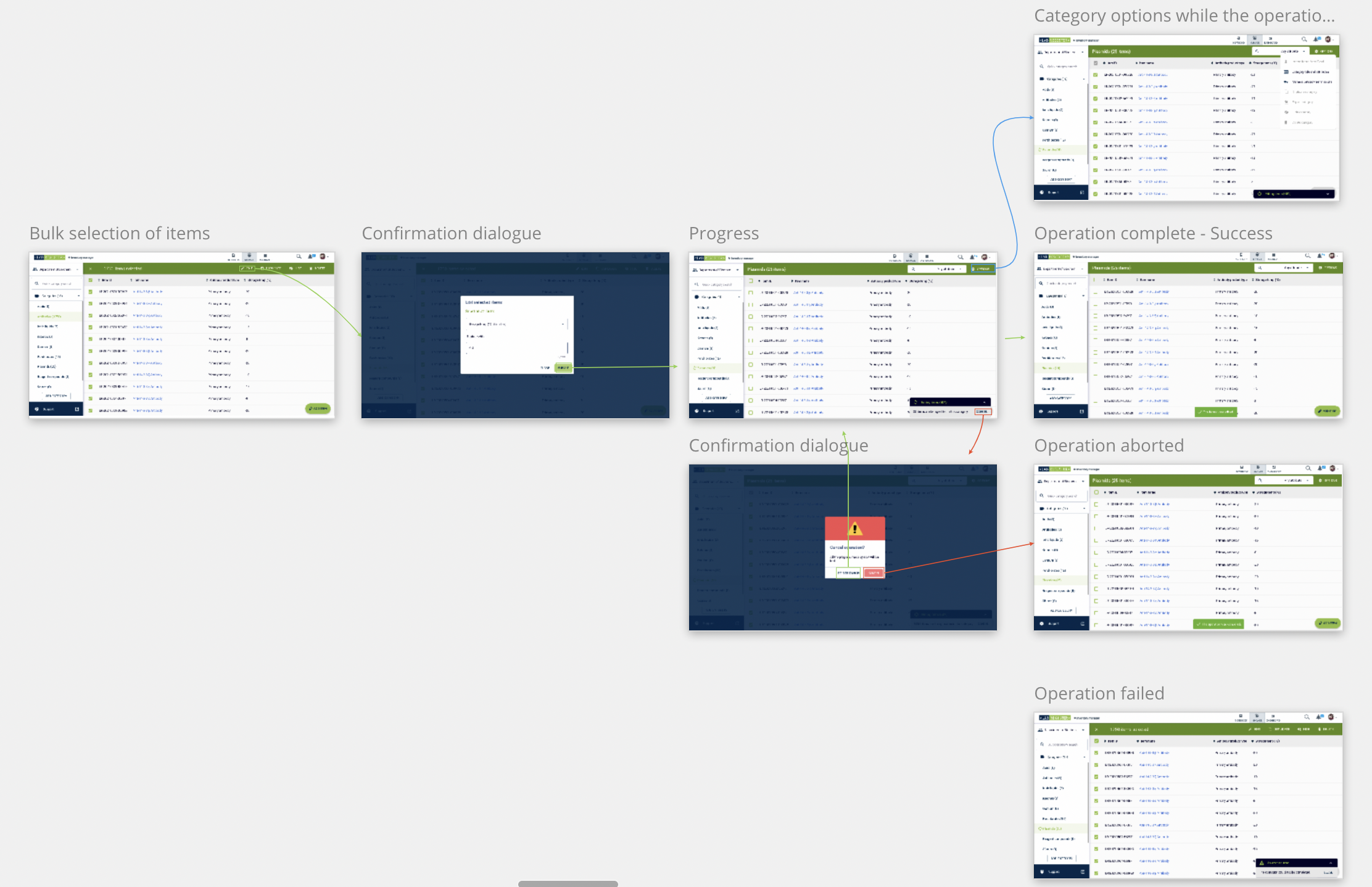
After the validation was complete for the first set of features, I proceeded to do user flows using screenshots on Miro for our software engineering team. They appreciated the clarity that this brought, especially for the frontend team. Here you can see a snippet of the bulk actions flow:
| Registered users | 21,389 as of Q3 2022 |
|---|---|
| Active users | 20,844 (99.45%) as of Q3 2022 |
| User base | Scientists and researchers in these institutions: • Anchor Diagnostics GmbH • BIH - Berlin Institute of Health • Charité - Universitätsmedizin Berlin • Ichor Life Sciences, Inc. • Gestlich Pharma AG • Technische Universität Cheminitz • UKE - Universitätsklinikum Hamburg-Eppendorf |